
Creating Tasks
The New Task page is where you run operations against URLs. Open it from the sidebar.
URL input
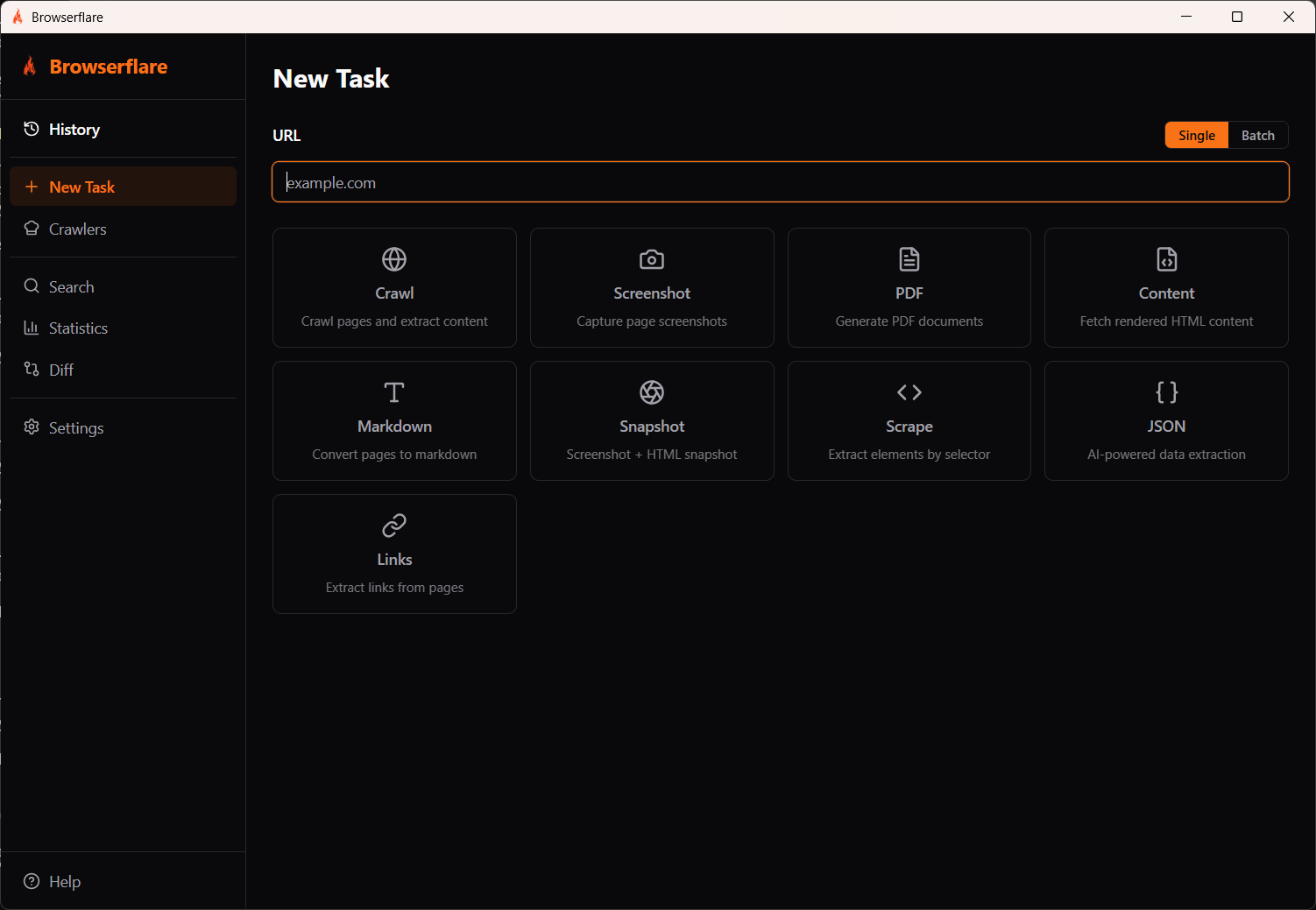
Section titled “URL input”Enter a URL in the input field at the top. Toggle between Single and Batch mode:
- Single — run one task against one URL
- Batch — run one task against multiple URLs at once
Task types
Section titled “Task types”Select a task type to run:
| Task | What it does |
|---|---|
| Crawl | Crawl pages and extract content by following links |
| Screenshot | Capture a full-page screenshot |
| Generate a PDF document of the page | |
| Content | Fetch the rendered HTML content |
| Markdown | Convert the page to markdown |
| Snapshot | Capture both a screenshot and an HTML snapshot |
| Scrape | Extract specific elements using a CSS selector |
| JSON | AI-powered structured data extraction |
| Links | Extract all links from the page |
Running a task
Section titled “Running a task”- Enter a URL (e.g.
https://example.com) - Select a task type
- Configure any task-specific options
- The task runs and results appear in History