
History
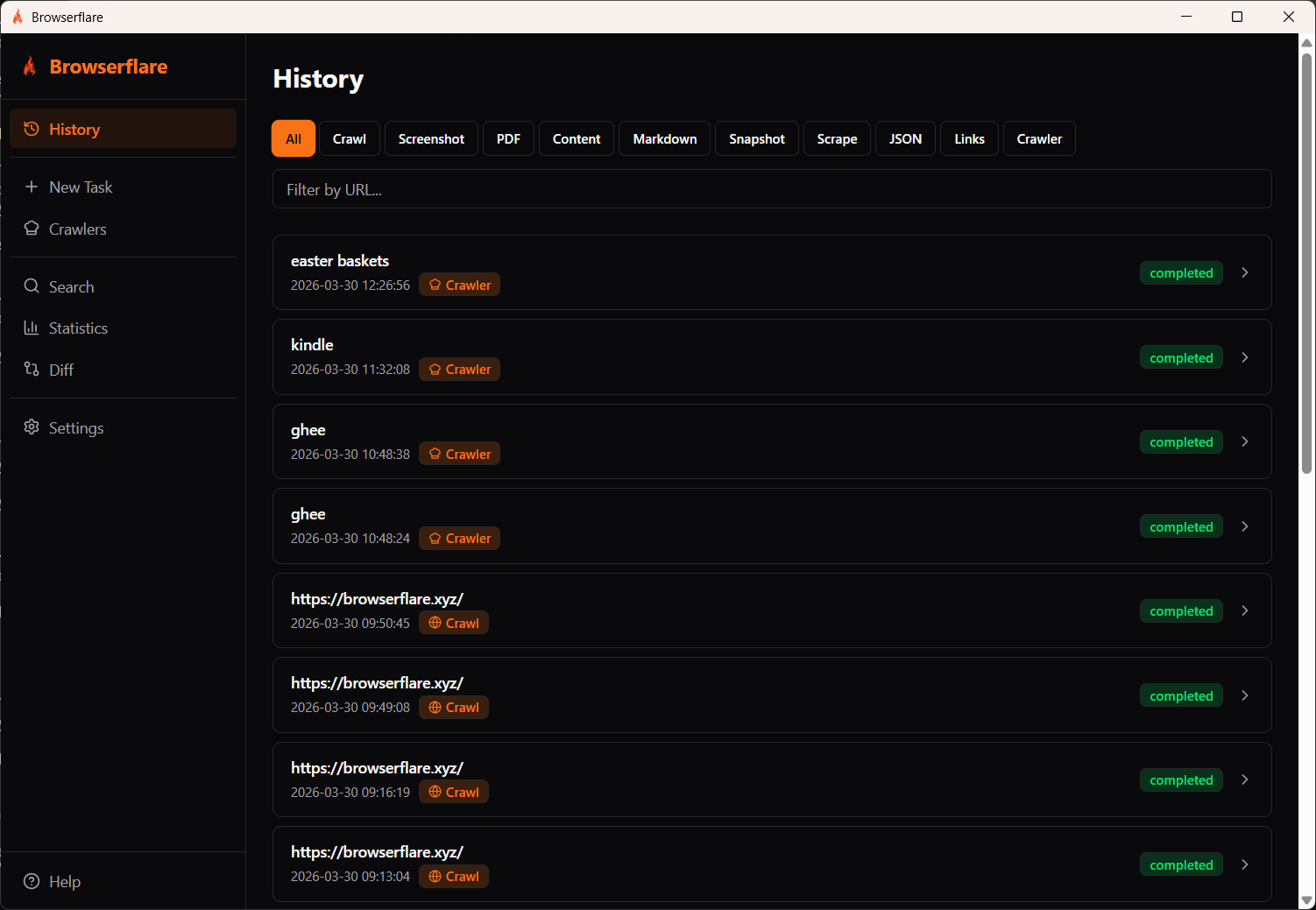
The History page shows all your completed and running tasks. Open it from the sidebar.
Filtering
Section titled “Filtering”Use the filter tabs at the top to show only specific task types:
All · Crawl · Screenshot · PDF · Content · Markdown · Snapshot · Scrape · JSON · Links · Crawler
You can also filter by URL using the search field.
Task entries
Section titled “Task entries”Each entry shows:
- Task name or URL — the URL that was processed, or the search query for crawler tasks
- Timestamp — when the task ran
- Type badge — the task type (Crawl, Crawler, etc.)
- Status —
completed,running, orfailed
Click a task entry to view its results.